How to send the click to in-ears and the backing track to front of house
To send the click to in-ears only from a phone, pan the click and cues hard left and the backing track hard right, then split the phone's stereo output into two mono cables with a TRS-to-dual-TS Y-cable or an audio interface. Plug the left (click) into the monitor mix only and the right (tracks) into the front-of-house desk. The audience hears the band and tracks; only the band hears the click.
What you need
- A phone or tablet running the click and tracks.
- A stereo-to-dual-mono Y-cable (3.5 mm TRS to two 1/4" TS, or a USB-C/Lightning adapter first), or a small audio interface.
- Two DI boxes or two line inputs on the desk.
- In-ear monitors for whoever needs the click.
Set it up
- Pan the click and cues fully left.
- Pan the backing tracks (or the stems you want the audience to hear) fully right.
- Left output → monitor mix only. Right output → front of house (and monitors if wanted).
- Sound-check with the drummer: click loud enough, cues a little above it.
- Mute the left channel on the main mix so the click can never reach the PA.
Common mistakes
- Leaving a track panned to the middle — it then plays in both outputs, including the click side.
- Using a stereo cable into one desk channel, which sums the click into the PA.
- Phone volume too low — set the phone near maximum and control level at the desk.
Pan the click, cues and stems in Metronome Map 2
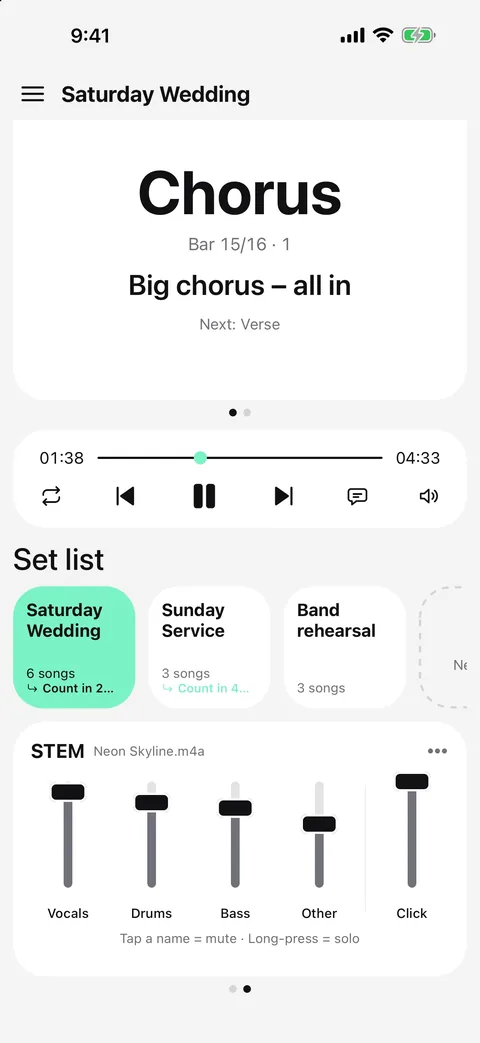
- Open the mixer with the sliders button on the STEM card (it works for every song, even without audio).
- Set each track to L, ST (stereo) or R: every stem, the click and the cues.
- A typical live setup: click L, cues L, all stems R. The L/R tag shows next to each track name on the card.
- Listen on headphones to check. If Mono Audio is on in the device's Accessibility settings, everything plays on both sides.
- Click and cue panning applies to every song; stem panning is saved with each song.
The same panning is used when you export a backing track as a WAV file (Pro).
Questions
Can I run click and tracks from one phone?
Yes. Pan the click left and the tracks right, then split the headphone output with a stereo Y-cable or an interface.
Will the audience hear the click?
Not if the left (click) output only goes to the monitor mix. Never plug the stereo output into a single desk channel.
Can the cues go to the click side too?
Yes. In Metronome Map 2 the cues have their own pan setting; most bands put them with the click.
Does panning change the volume?
Metronome Map 2 folds a panned track to one side at about the same loudness as in stereo, so you rarely need to re-balance.

Try it in Metronome Map 2
The metronome that follows your song: song map, cues and count-ins, AI beat grid and stems, notes that zoom and set lists. Free on Android; iPhone and iPad beta on TestFlight.