How to play along with YouTube videos in time with a click
To practise with a YouTube song and a metronome, open the video in an app that uses YouTube's official player, tap along to the beat once so the app knows where every beat falls in the video, and then play: the video runs in time with the click, with count-ins, sections and cues. The audio stays on YouTube — it isn't downloaded or analysed — so the beat is set by you, not by AI.
Why a normal metronome doesn't work with YouTube
Starting a metronome and a video by hand never lines up exactly, and most songs drift a little. You end up chasing the video. The click has to know where the video's beats are and keep the video in sync.
The steps
- Paste the YouTube link — the song is created with the video's title.
- Tap along on every beat for a few bars; listen back with the click and save.
- While it plays, tap “Add section here” at the start of each part, and “End here” on the last bar.
- Press play: the app counts in, starts the video on the beat and keeps it in time with the click.
What's not possible (and why)
YouTube's terms don't allow apps to download or analyse a video's audio, so there's no automatic beat detection, stem separation or backing-track export for YouTube songs. For those features, use an audio file you own.
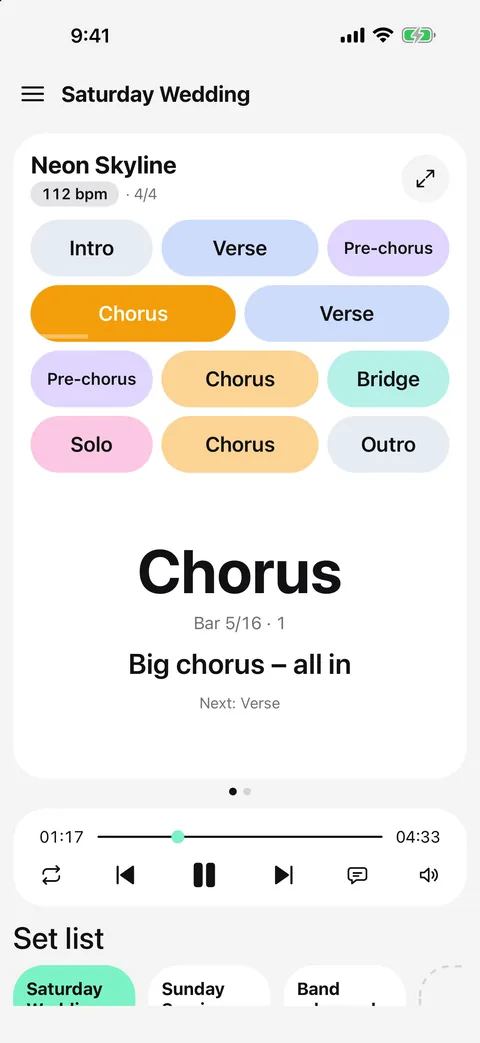
YouTube songs in Metronome Map 2
- Tap + → “Song from YouTube link” and paste the link. The video opens in a floating player.
- Tap the metronome button on the player, then tap along with the video on every beat; listen with the click, then save.
- Press play on the player bar: the video follows the click, with a count-in.
- Use 0.75x–1.5x practice speed; the video and click change speed together.
- Use the STEM card to mute the video (and set its volume on Android) and to set the click volume.
Videos whose owners turned off embedding can't play in apps.
Questions
Can the app find the BPM of a YouTube video?
No — the app doesn't analyse YouTube audio. You tap along once to set the beat, which takes about ten seconds.
Can I slow down a YouTube video with the click?
Yes. Choose 0.75x, 1.25x or 1.5x; the video and the click change speed together.
Can I make stems or a backing track from YouTube?
No. Stems and exports are only for audio files you own.
Why can't I change the YouTube volume on iPhone?
iOS ties web video volume to the device volume buttons, so on iPhone and iPad you can mute the video but not set its level. Android has a volume slider.

Try it in Metronome Map 2
The metronome that follows your song: song map, cues and count-ins, AI beat grid and stems, notes that zoom and set lists. Free on Android; iPhone and iPad beta on TestFlight.