How to find the BPM of a song
The fastest way to find the BPM of a song is tap tempo: tap a button in time with the beat for 8–16 taps and the app averages the gaps between your taps. To check it, count the beats for 15 seconds and multiply by 4. Tap the steady pulse you would clap along to — usually the kick and snare — not every hi-hat note.
Method 1: tap tempo
- Play the song and find the pulse you'd clap along to.
- Tap the tap-tempo button on every beat for at least 8 taps.
- Read the BPM; tap again for a second reading and take the round number in between.
- Start the metronome with the recording to check it stays together for a whole chorus.
You can use the free online metronome with tap tempo on this site.
Method 2: count and multiply
Count beats for 15 seconds with a stopwatch and multiply by 4 (or count for 30 seconds and multiply by 2). It is slower than tapping but a good sanity check.
Half time or double time?
If your number feels too slow or too fast, you may be counting half or double the pulse. A song you hear as 70 BPM might be written at 140. Pick the one that matches how the drummer plays the backbeat — in most pop and rock the snare falls on beats 2 and 4.
Find the time signature
- Count along “1-2-3-4” and listen for the strongest beat (usually a kick or a chord change). If it comes back every 4 counts, it's 4/4.
- If it comes back every 3, it's 3/4. If you feel two big beats each split into three, it's 6/8.
- If the count doesn't line up somewhere, you've found an odd bar — note where it is.
When the tempo drifts
Songs recorded by a live band without a click speed up and slow down slightly. A single BPM is then only an average and a fixed metronome will slowly drift away. The fix is a beat grid: the time of every beat in the recording (see click track that follows a recording).
Set the BPM in Metronome Map 2
Every BPM label in Metronome Map 2 opens the same tempo sheet.
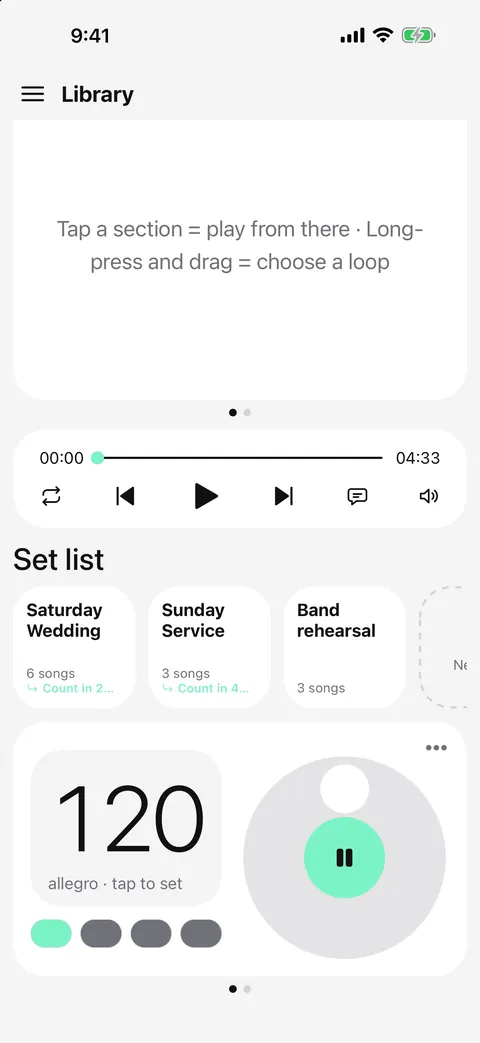
- Tap the “120 bpm” label on a song (or the dial on the metronome card).
- Type the tempo, nudge it with − and +, or tap along on the tap pad.
- Tap the 4/4 label in the song editor to set the beats per bar and whether the beat is a quarter or an eighth note.
- If you have the audio file, let AI or tap-along find the beat grid so the click follows the recording exactly.
Questions
How many taps do I need for tap tempo?
At least 8. More taps give a steadier average; 16 taps is plenty.
Why does my BPM come out as half or double?
You are tapping every other beat, or every eighth note. Tap where you'd clap along — usually where the snare hits — and the number will match the song.
Can an app detect the BPM automatically?
Yes, from an audio file. Metronome Map 2's AI finds the beat grid, downbeats and sections of an audio file you own (1 whole song a month free). It doesn't analyse YouTube audio — for YouTube you tap along to set the beat.
What if the song changes tempo?
Map each part separately, or use a beat grid from the recording so the click follows every change.

Try it in Metronome Map 2
The metronome that follows your song: song map, cues and count-ins, AI beat grid and stems, notes that zoom and set lists. Free on Android; iPhone and iPad beta on TestFlight.