How to slow down a song without changing the pitch
To slow a song down without changing its pitch, use time stretching — a speed control with pitch correction, which changes the length of the audio but keeps every note in the same key. Practise a hard part at 0.75x until it's clean, then 1x, and use 1.25x or 1.5x to make the real tempo feel easy. A click that slows down with the music keeps you honest at every speed.
Why the pitch normally drops
Playing a recording slower, like a record at the wrong speed, lowers every note — at 0.75x the song drops by about five semitones and you can no longer play along in tune. Time stretching re-renders the audio so it's longer or shorter but stays in the original key.
A practice routine that works
- Loop the hard section (see how to loop a section).
- Play it at 0.75x until you get it right three times in a row.
- Go to 1x. If it falls apart, go back for two more passes.
- Try 1.25x: when full speed feels slow, you have it.
- Finish with the whole song at 1x.
Keep the click with the music
If the music slows down but the metronome doesn't, they fight each other. The click has to scale with the recording: at 0.75x a 120 BPM song clicks at 90 BPM, on the same beats. Count-ins and cues should move with it too.
How slow is too slow?
Below about 0.7x most time-stretching starts to smear drums and add a watery sound, and your hands learn a different motion from the real tempo. Small steps — 0.75, 1, 1.25 — are usually more useful than very slow playback.
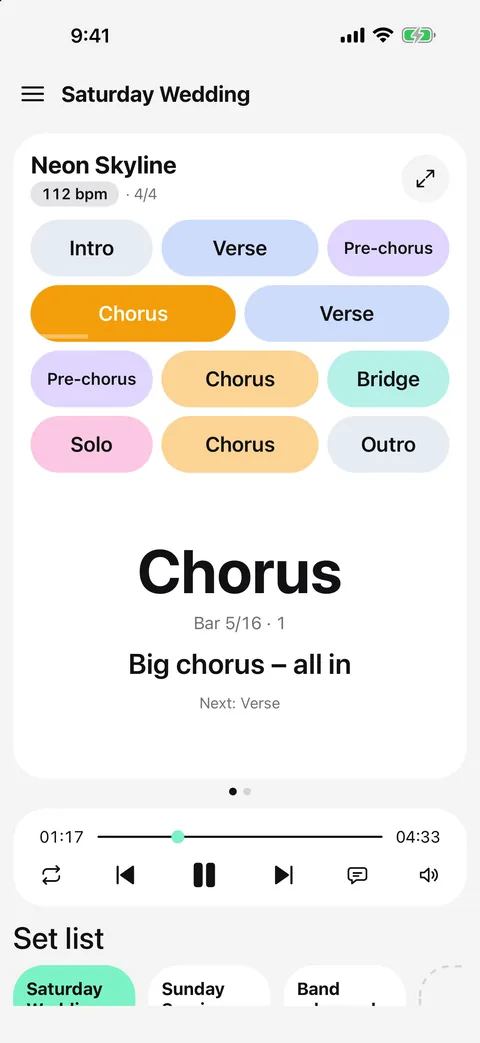
Change the practice speed in Metronome Map 2
Metronome Map 2 stretches your audio in advance and plays it on the same audio clock as the click, so speed changes stay as tight as 1x.
- Open a song with an audio file or a YouTube video.
- Tap the speed button on the player bar and pick 0.75x, 1x, 1.25x or 1.5x.
- The song keeps its key; the click, count-in and cues follow the new tempo.
- Changing speed while playing restarts from the start of the current bar. Choosing another song goes back to 1x.
YouTube videos use the official player's own speed setting; the click follows the video at the same speed.
Questions
Does slowing down change the key?
Not with time stretching. Metronome Map 2 keeps the original pitch at 0.75x, 1.25x and 1.5x.
Which speeds are available?
0.75x, 1x, 1.25x and 1.5x — the same set works for audio files and YouTube videos.
Does the metronome slow down too?
Yes. The click, the count-in and the cues all scale with the song, so they stay on the beat at every speed.
Can I loop at a slower speed?
Yes. Set a loop and a speed together to drill one section slowly, then go back to 1x.

Try it in Metronome Map 2
The metronome that follows your song: song map, cues and count-ins, AI beat grid and stems, notes that zoom and set lists. Free on Android; iPhone and iPad beta on TestFlight.